LIVE ONLINE MASTER WORKSHOP

Claude for Business

Hands-On AI Master Workshop for Business Managers & Owners

Build practical AI workflows for research, analysis, planning, productivity and business decision support through two guided live sessions. Learn to structure prompts, work with your own documents, spreadsheets and PDFs, research with sources, write and edit business content, create Word, Excel, PowerPoint and PDF files, and connect Gmail, Drive and Chrome. No paid plan needed to start; you also get to know what the other licence plans add, including an executive first look at Claude Code, so you leave with repeatable workflows you can run on Monday. No code, no jargon; you bring your real business challenges.

6 Hours 2 live sessions × 3 h
4 Modules 12 hands-on units
Free Plan First No paid licence required
Managers & Owners Real business cases
25 & 26 September 2026
Session timings to be announced
2 Live Sessions
6 Hours Total (3 Hours Each)
Live Online
₹2,999
Gaurav Gupta
Gaurav Gupta
CTO & Platform Head, Zero Zeta

Register for the Workshop

Complete your details to continue with workshop registration.

₹2,999
Base price₹2,999.00
GST (18%)₹539.82
Total payable₹3,538.82
Total amount charged at checkout: ₹3,538.82 (₹2,999 + 18% GST). Your details will be processed securely in accordance with our Privacy Policy.
PRACTICAL CAPABILITY

Turn Everyday Tasks into Useful Business Outputs

Learn a repeatable approach: define the task, give Claude the right context, shape the output and refine it for its intended audience. Follow practical examples that connect prompting to the documents, communication and decisions professionals handle every day.

1

Define the Task

Identify the business question, audience and required output.

2

Provide the Context

Supply relevant information, examples and instructions.

3

Shape the Output

Ask for the structure, detail and tone the task needs.

4

Review and Reuse

Check the result and adapt the approach for similar work.

WHY THIS WORKSHOP

Make Claude More Useful in Your Working Day

Clearer Instructions

Learn how context and output requirements improve the usefulness of a response.

Better Use of Documents

Turn lengthy information into summaries, key points and questions for follow-up.

More Structured Thinking

Organise options and evidence using consistent comparison criteria.

Repeatable Methods

Adapt effective prompts for recurring communication, reporting and planning tasks.

WHAT YOU WILL LEARN

Practical Applications You Can Bring to Your Work

Prompt-Template Pack

Structure briefs with role, context, task, format and verification checks — walk away with 6 templates for weekly business situations.

Document & Tender Analysis

Ask questions of long PDFs, tenders, contracts, reports and customer feedback with exact cited passages and actionable checklists.

Spreadsheets & Excel Numbers

Extract answers, clean data tables and generate visual charts from your own spreadsheets without memorising complex formulas.

Writing in Your Voice

Draft and edit the 5 core messages every firm sends: emails, WhatsApp replies, quotations, reminders and proposals — in your voice.

Decision & Planning Support

Weigh options, trade-offs and risks for real business challenges; leave with a 1-page executive recommendation and action timeline.

Connected Daily Tools

Connect Gmail, Drive and Chrome to summarise inbox threads, review files in Drive, and navigate routine web research safely.

Data Privacy Note: Participants should follow their organisation's privacy, data and AI-usage policies. Use non-sensitive information when trying methods independently.
LEARNING METHOD

How the Sessions Work

Learn through clear explanations, practical examples and Claude screen demonstrations, with opportunities to ask questions. Gaurav will walk through the task, the prompt and the resulting output, explaining how to refine the response and adapt the method to your own work.

1

Understand the Example

Follow a realistic business scenario, its context and the desired outcome.

2

Follow the Prompt

Observe how instructions, constraints and context are structured.

3

Examine the Output

Review the generated response, evaluate quality and identify refinements.

4

Learn How to Adapt It

See how to adjust the prompt sequence for your own everyday work.

AUDIENCE

Who This Workshop Is For

Founders and business leaders
Business and functional managers
Marketing and sales professionals
Operations and HR professionals
Consultants and independent professionals
Professionals working with documents, communication, reporting and planning
Professionals looking for a more structured approach to everyday Claude use
Professionals starting to use AI in everyday business work

Suitable for professionals starting with Claude and those looking for a more structured approach to everyday use. No programming background is required.

6-HOUR DETAILED CURRICULUM

Comprehensive Workshop Agenda

Taught directly by Gaurav Gupta. Designed around real business scenarios, practical screen demonstrations, and hands-on exercises you can immediately apply.

SESSION 1 • 3 HOURS

Foundations, Prompts and Your Own Documents

In plain words: set up safely, brief Claude well, and get verified answers from your documents and from the web — with citations.

Module 1 — Foundations that Stick

80 min
1.0
Before Claude: The LLM Ecosystem & Indian Models

Objective: Defining what an LLM is, how frontier models compare, where Claude stands, and overview of the Indian AI landscape.

15 min
1.1
Claude Today: Interfaces, Licence Plans & Models

Objective: Master Web, Desktop, Mobile and Chrome; know what the free plan gives you vs. Pro/Team; understand tokens, usage tracking, and which model to choose.

20 min
1.2
Working Safely & Briefing Well

Objective: Know what not to upload and how to clean a file first; recognise common pitfalls; write a business brief that gets a high-quality result on the first attempt.

20 min
1.3
The Prompt-Template Pack: 6 Situations, 1 Skeleton

Objective: Structure prompts with Role, Context, Task, Format and Checks; leave with 6 fill-in-the-blank templates for recurring business situations.

25 min
Refreshment Break • 10 min

Module 2 — Your Documents and Your Research

80 min
2.1
Ask Questions of Your Own Documents: PDFs, Tenders, Contracts & Reports

Objective: Extract what matters from long documents with exact cited source passages, turning complex files into checklists and summaries you can act on.

30 min
2.2
Research with Sources: Market Scans, Competitors & Regulations

Objective: Run web-backed research briefs, demand reliable citations, verify claims before relying on them, and identify when an AI is guessing.

30 min
2.3
Your Business in Claude: Reusable Context Block & Projects

Objective: Build a 1-page company brief that makes every answer sound like your firm on the free plan; see how Projects and knowledge files automate this on licensed plans.

20 min
Session 1 Wrap-up & Takeaway Practice Guidelines • 10 min
SESSION 2 • 3 HOURS

Make Things, Decide, and Hand Over Routine Work

In plain words: write and edit in your authentic voice, produce real spreadsheets and charts, support decisions, and connect daily tools.

Module 3 — Make Things

70 min
3.1
Everyday Writing & Editing: Emails, Quotations & Proposals in Your Voice

Objective: Write and edit the 5 messages every business sends, tailored to your brand voice, faster and better — and learn how to review them before sending.

30 min
3.2
Spreadsheets and Numbers: Ask Claude About Your Excel

Objective: Get answers, data summaries, anomalies, and visual charts directly from your Excel/CSV spreadsheets without having to write complex formulas.

40 min
Refreshment Break • 10 min

Module 4 — Decide, Connect, and What Comes Next

90 min
4.1
Planning and Decision Support: Weigh Options, Risks & Actions

Objective: Put one real business decision to Claude — evaluate options, trade-offs and risks; leave with a 1-page recommendation and an action plan.

30 min
4.2
Connect Gmail, Drive and Chrome: Inbox Summaries & Browser Action

Objective: Connect the three tools, run weekly inbox and Drive round-ups, and use Claude in Chrome for routine tasks with proper privacy guardrails.

30 min
4.3
Executive First Look: Projects, Design, Cowork and Claude Code

Objective: Guided demonstration showing what licensed tiers add — configured Projects, Design brochures, folder-level Cowork, and a simple tool prototype via Claude Code — so leaders can judge whether advanced licences pay for themselves.

30 min
Session 2 Wrap-up, Final Q&A & Certificate Next Steps • 10 min

What You Leave With (Your Personal Toolkit)

You won't just leave with notes; you will walk away with concrete, reusable digital assets ready to deploy on Monday morning:

The 6-Template Prompt Pack: Reusable prompts for briefs, research, decisions and follow-ups.
Reusable Company Context Block: Makes every Claude response match your firm's identity.
Document Extraction Checklists: Key clauses and takeaways pulled from your own files.
Sourced Research Brief: Verified web-backed market and supplier insights with citations.
5 Everyday Business Messages: Emails, WhatsApp replies, quotations and proposals in your voice.
Spreadsheet Analysis & Chart: Insights, summaries and visuals derived from your Excel sheet.
1-Page Decision Recommendation: Structured options, trade-offs and action timeline.
Connected Tools Integration: Clear view of Gmail, Drive, Chrome, Projects, Cowork & Claude Code.
BEFORE THE SESSION

What You Need for the Workshop

A simple 1-page pre-work checklist is sent 1 week before the session so you are set up for success.

Free Claude Account: The free tier is sufficient for all hands-on exercises; a Pro trial is optional for tool connectors.
Computer & Browser: Laptop/desktop with Chrome and stable internet to view demonstrations and try prompts.
5–10 Real Business Files: Including 1 PDF and 1 spreadsheet (non-sensitive) to analyze during hands-on units.
1 Real Business Challenge: A live decision, quotation, or vendor evaluation you are currently weighing.
Corporate IT & Policy Tip: If you are attending on a company-managed laptop where third-party Chrome extensions or Google Workspace OAuth are restricted by IT administrators, using a personal Google account or an unmanaged browser is recommended for the Gmail/Drive connector demonstration.

Platform Evolution Note: Claude features and interface capabilities evolve rapidly. Exact live workflows are demonstrated based on the latest platform capabilities before each cohort.
WORKSHOP FACILITATOR

Meet Your Facilitator

Gaurav Gupta

Gaurav Gupta

CTO & Platform Head, Zero Zeta

Gaurav is a data science and applied AI enablement expert with extensive experience in analytics and business intelligence. He leads AI program design, business intelligence implementations, and curriculum innovation at Zero Zeta, ensuring AI enablement translates directly into tangible business impact.

With deep expertise in software development, CAD, telecom networks, and supply chain implementation, Gaurav focuses on building executive and professional capability, helping organizations identify practical use cases, establish readiness baselines, and design structured AI adoption roadmaps.

OFFICIAL CREDENTIAL

Zero Zeta Certificate of Completion

Earn an official Zero Zeta Certificate of Completion upon participating in the live workshop sessions. Showcase your practical AI proficiency and prompt-structuring capability to employers, clients, and professional peers.
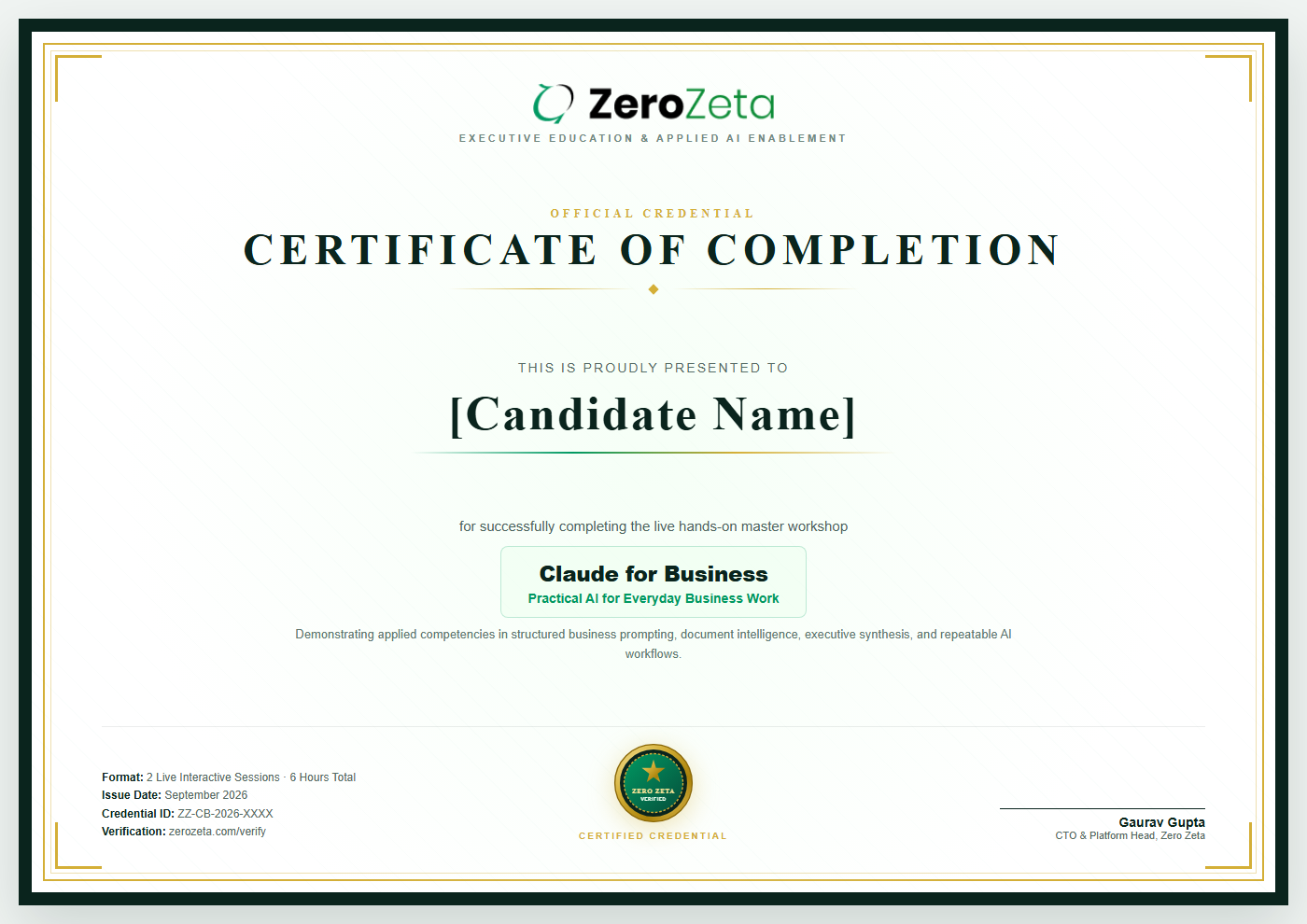
Verified Credential: Features an authentic Zero Zeta credential identifier verifiable online.
Career & LinkedIn Ready: Directly addable to LinkedIn certifications, digital profiles, and professional resumes.
Practical Application: Awarded upon attendance and completion of practical business AI exercises across both sessions.
Included automatically with your workshop enrollment at no additional fee.
Zero Zeta Certificate of Completion - Claude for Business
QUESTIONS & ANSWERS

Frequently Asked Questions

This workshop is designed specifically for business founders, functional managers (Sales, Marketing, Operations, HR, Finance), SME owners, consultants, and professionals who handle documents, spreadsheets, reporting and communication daily. No coding, mathematics, or prior AI background is required.
No paid plan is required to start. The core hands-on units — prompt structuring, document analysis, spreadsheet interpretation, and writing — work seamlessly on the free plan. Advanced licensed features (such as Projects, Design, Cowork, and Claude Code) are demonstrated live by Gaurav at an introductory level so you can evaluate whether a paid licence pays for itself.
Yes, you are encouraged to bring a folder of 5–10 typical business files (PDFs, spreadsheets, contracts). In Module 1, Gaurav covers essential data privacy practices: what not to upload, how to sanitise files before submission, and how to stay aligned with corporate data governance.
Claude for Business is a non-technical, zero-code master workshop focused on business productivity, communications, Excel analysis, document extraction and decision planning for leaders. The upcoming Claude for Builders workshop is an advanced 9-hour technical lab for developers and technical builders who want to write code, build prototypes, and deploy connected software using Claude Code and terminal tools.
That is completely fine. For Unit 4.2 (Gmail, Drive and Chrome connectors), you can either observe the live screen demonstration or use a personal Google account on your browser to test the integration safely without corporate restrictions.
Session 1 takes place on 25 September 2026 (3 hours), and Session 2 takes place on 26 September 2026 (3 hours), totaling 6 hours of live instruction. Exact session timings will be announced to registered participants prior to the cohort.
The regular workshop fee is ₹2,999 + GST. The early bird payable fee is ₹1,999 + GST, saving ₹1,000. The early bird offer is valid till 13 September 2026.
Yes. All participants who attend the live workshop sessions will receive an official Zero Zeta Certificate of Completion with an online-verifiable credential ID, shareable on LinkedIn and professional profiles.
Claude is a product of Anthropic. This independent workshop is delivered by Zero Zeta and is not affiliated with or endorsed by Anthropic.

Put Claude to Work on Everyday Business Tasks

Join Gaurav Gupta for two practical sessions on clearer prompts, useful business outputs and repeatable methods you can apply to your work.

25–26 September 2026 6 Hours Total (2 Sessions) Live Online ₹2,999 ₹2,999 Early Bird Price
Early bird offer valid till 13 September 2026 • Save ₹1,000 • + GST
Related Resources

Continue Your AI Journey

Business AI Playbook

Explore Zero Zeta's practical thought-leadership guide and playbook for business transformation.

Explore the Book

LLM for Faculty & Researchers

Explore our specialised workshop on ChatGPT and Claude for teaching materials, research analysis and academic writing.

Explore Academic Workshop

AI Readiness Assessment

Evaluate your organisation's current AI adoption readiness and use-case opportunities.

Check Readiness

Workshops Hub

View all upcoming live online workshops designed for professionals, educators and researchers.

View All Workshops